

🚀 Why GPUs Matter More Than Ever
🎮🤖🎬 Three People, One Secret Weapon
Picture this:
- 🎮 A gamer at midnight, chasing higher frame rates in a neon-lit room.
- 🤖 An AI researcher training a giant language model that would take months on CPUs but mere days on the right NVIDIA GPU.
- 🎬 A filmmaker waiting for a 4K render of a dragon-infested city scene.
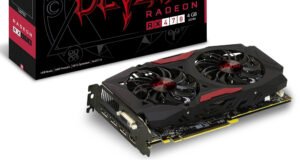

All three rely on the same unsung hero — the graphics processing unit. In 2025, the GPU isn’t just about pretty visuals. It’s about speed, scale, and opening new creative frontiers. Whether you’re choosing the best GPU for gaming or the best GPU for machine learning, it’s become the silicon heart of modern computing ❤️.
🧠 What a GPU Really Is (and Why It’s Different From a CPU)
Think of a CPU as a master chef with a small team: brilliant at complex, sequential recipes but limited by how many dishes it can cook at once.
A GPU is like a massive open kitchen staffed by hundreds of line cooks — each handling a small piece of the meal simultaneously 🍳.
| Feature | CPU | GPU |
|---|---|---|
| Core count | Few powerful cores (4–32) | Thousands of smaller cores (2,000–18,000+) |
| Optimized for | Sequential tasks, branching logic | Parallel tasks, repetitive math |
| Typical uses | OS tasks, office software | 3D rendering, AI, simulation, heavy compute |
| When to choose | General-purpose computing | Massive data or graphics workloads |
This is why an NVIDIA GPU can accelerate both Fortnite frames and scientific simulations. If you’re chasing the best GPU for your needs, remember: CPUs orchestrate; GPUs execute en masse ⚡.
🗓️ A Quick Timeline of GPU Evolution
1️⃣ Fixed-Function Graphics (1990s)
Early GPUs were hardwired for rasterization and texture mapping. They offloaded only the most repetitive pixel pushing from the CPU.
2️⃣ Programmable Shaders (Early 2000s)
Developers gained flexibility with vertex and pixel shaders. Suddenly, real-time reflections and dynamic lighting were possible. This era birthed the first wave of best GPU debates in gaming magazines 📚.
3️⃣ GPGPU (Late 2000s–2010s)
Enter General-Purpose GPU computing: CUDA from NVIDIA let researchers tap GPUs for physics simulations, finance, and deep learning. “Graphics” became just one of many workloads. This was when the NVIDIA GPU started showing up in supercomputers, not just desktops 💻.
4️⃣ AI Accelerators (2020s)
Today’s chips integrate tensor cores, ray-tracing engines, and AI-driven upscalers like DLSS. The best GPU is now judged not only by raw frame rates but also by how quickly it trains neural networks or renders cinematic scenes 🏆.
📊 Today’s GPU Market at a Glance
The GPU market in 2025 is vibrant but also fragmented. Here’s a snapshot:
| Segment | Typical Buyers | Notable Products |
|---|---|---|
| Gaming GPUs 🎮 | Gamers, streamers, esports pros | NVIDIA GeForce RTX series (e.g., RTX 5090 – often called the best GPU for 4K gaming), AMD Radeon RX 8000 |
| AI/Compute GPUs 🤖 | Researchers, data centers | NVIDIA A100/A200 “Ampere” & “Hopper” (widely regarded as the best GPU for deep learning), AMD Instinct |
| Creative Workstation GPUs 🎬 | 3D artists, video editors | NVIDIA RTX A6000, Apple M-series integrated graphics |
| Budget/Entry GPUs 💸 | Everyday users | NVIDIA GTX 1650 refresh, AMD RX 6400 – not the best GPU but still capable for light gaming |
💡 Tip: When reading benchmarks, look at both your workload and your power budget. The best GPU for a compact PC might differ from the best GPU for a liquid-cooled workstation.
💥 Why You Should Care (Even If You’re Not a Gamer)
🎮 Gaming Is Just the Beginning
Yes, an NVIDIA GPU still drives buttery-smooth graphics. But its tensor cores also upscale images in real time with AI, so even midrange cards feel like high-end ones. If you’re searching for the best GPU for immersive worlds, this is your playground 🕹️.
🤖 AI Everywhere
Training AI models is like running billions of small equations. A CPU can take months; a single NVIDIA GPU can shrink that to days. That’s why labs call the A100 or H100 the best GPU for machine learning 🧑🔬.
🔬 Scientific Computing
From climate modeling to drug discovery, researchers lean on GPUs. The world’s fastest supercomputers now have racks full of NVIDIA GPU boards. Choosing the best GPU for HPC can literally affect national research outcomes 🌍.
💱 Beyond the Crypto Boom
Crypto mining once drove GPU shortages. With proof-of-stake dominating, GPUs are now more available for actual innovation — AI, rendering, simulations. A savvy buyer can finally get the best GPU without paying double on the gray market 🤑.
🆚 Columns: Gaming vs. AI vs. Creative Work
| Gaming Focus 🎮 | AI/Deep Learning Focus 🤖 | Creative/Video Focus 🎬 | |
|---|---|---|---|
| Key Metric | Frames per second | FLOPS / tensor performance | VRAM + driver stability |
| Typical NVIDIA GPU | GeForce RTX 5090 | H100 / A100 | RTX A6000 |
| Best GPU Example | RTX 5090 for 4K/8K gaming | H100 for large-scale AI training | RTX A6000 for 12K raw editing |
This side-by-side view makes one thing clear: “best” depends on context. The best GPU for gaming may not be the best GPU for AI or filmmaking 🎯.
✅ Witty Buying Checklist
- Define Your Battlefield: Are you raiding dungeons, training chatbots, or color-grading films? 🗡️
- Count Your Watts: High-end NVIDIA GPU cards can gulp 400–600 W. The best GPU for a small form factor might be a midrange model with lower power draw 🔋.
- Memory Matters: For AI, VRAM is king. For gaming, bandwidth plus DLSS features may outweigh raw capacity 📈.
- Future-Proofing: Ray tracing and AI upscaling are maturing fast. The best GPU today should handle tomorrow’s features too 🔮.
🏁 Conclusion: The Era of the GPU
We’re living in a time when the GPU isn’t just an add-on; it’s the engine of progress. Whether you’re a gamer chasing frames, an AI researcher chasing breakthroughs, or a filmmaker chasing the perfect render, the right NVIDIA GPU can shave hours, days, or even months off your work ⏳.
So when you read benchmarks or shopping guides, don’t just look at price or clock speed. Think parallelism, AI features, VRAM, and ecosystem. Because in 2025, the best GPU isn’t just about graphics anymore — it’s about powering the future 🚀.
🐾 9 Surprising Factors That Affect the Cost to Own a Pet Happily in a Big, Bustling City
🖥️ Inside a GPU — Modern Architecture Explained
Explainer Graphic Placeholder:
📝 Insert here an illustration titled “Anatomy of a GPU” showing VRAM chips around the die, Streaming Multiprocessors/Compute Units, caches, ray tracing and tensor cores, memory controllers and power delivery.
🚀 High-Level Overview: Thousands of Cores in Parallel
A modern GPU is less like a single “processor” and more like a small city of processors under one roof. While a desktop CPU might have 8–32 beefy cores, a current NVIDIA GPU or AMD GPU can pack thousands of lightweight cores arranged into parallel pipelines.
- Massive parallelism: tens of thousands of threads in flight.
- Wide memory interfaces: 256-bit to 1,024-bit buses feeding hundreds of GB/s to TB/s of bandwidth.
- Specialised engines: dedicated hardware blocks for ray tracing, AI inference, video encode/decode and display output.
This combination makes GPUs the best GPU style solution for workloads where the same operation needs to be performed on a huge amount of data at once — whether that’s shading pixels, simulating molecules or crunching a neural net.
🧩 Core Components of a Modern GPU
A big GPU die is a patchwork of different functional units. Here’s what you’ll find inside.
🔹 Streaming Multiprocessors / Compute Units
These are the heart of the GPU — clusters of tiny arithmetic logic units (ALUs) designed to execute thousands of lightweight threads simultaneously.
- NVIDIA GPU terminology: Streaming Multiprocessors (SMs).
- AMD terminology: Compute Units (CUs).
Each SM/CU contains integer units, floating-point units, registers and schedulers. When you run a shader or a compute kernel, the work is divided into “warps” or “wavefronts” that the SM/CU executes in lockstep. This design is why the best GPU for compute workloads is one with many SMs/CUs and high occupancy.
While GPUs thrive on high bandwidth, latency still matters. To keep the SMs fed:
- L1 caches close to each SM.
- Shared memory that threads within a block can use as scratchpad.
- L2 cache sits between SMs and memory controllers.
NVIDIA’s Ada and Hopper architectures, for example, have rebalanced their caches to better handle AI workloads. That’s one reason why the latest NVIDIA GPU can feel like the best GPU for both graphics and deep learning.
🔹 VRAM (Video Memory)
The large chips surrounding the GPU die are VRAM. They store textures, frame buffers, compute data and model weights. Modern cards use GDDR6X or HBM (High Bandwidth Memory).
| Memory Type | Typical Bandwidth | Use Case |
|---|---|---|
| GDDR6/GDDR6X | 400–1,200 GB/s | Gaming, general workloads |
| HBM2e / HBM3 | 1–3 TB/s | AI accelerators, HPC |
For AI training or high-resolution rendering, VRAM capacity and bandwidth are critical. The best GPU for these tasks is often the one with the fattest memory bus and biggest VRAM pool.
🔹 Ray Tracing Cores
These are fixed-function units designed to accelerate BVH traversal and ray-triangle intersections. They offload the heavy math of real-time ray tracing from the general SMs. NVIDIA calls them RT Cores; AMD calls them Ray Accelerators. More of these usually means the best GPU for lifelike lighting in games.
🔹 Tensor / Matrix Cores
Tensor cores (NVIDIA) or Matrix Cores (other vendors) perform mixed-precision matrix multiply-accumulate operations — the bread and butter of AI. They enable real-time upscaling (DLSS) and fast neural network inference. For researchers, they’re a big reason the NVIDIA GPU remains the best GPU for deep learning.
🎨 The Graphics Pipeline in Hardware
GPUs started as specialised graphics engines. Even today, much of the silicon is built around a graphics pipeline.
- Vertex Processing: Vertex shaders transform 3D coordinates into screen space. Done on SMs/CUs with help of caches.
- Geometry / Tessellation: Optional stages add or refine geometry on the fly.
- Rasterisation: Converts vector shapes into pixels. Handled by dedicated raster units.
- Shading / Fragment Processing: Pixel shaders calculate lighting, color and effects. Runs massively parallel on SMs/CUs.
- Output Merge: Blends, writes to frame buffer, then sends to display engines.
Because each pixel can be processed independently, GPUs can shade millions of fragments at once. A high-end NVIDIA GPU packs so much shading power it’s often crowned the best GPU for AAA gaming at 4K or 8K.
🧮 The Compute Pipeline (GPGPU)
When CUDA, OpenCL and similar APIs arrived, GPUs became general-purpose accelerators. Instead of vertices and pixels, you dispatch threads grouped into blocks or workgroups.
- Scheduler: launches thousands of threads across SMs.
- Shared Memory: lets threads in a block cooperate.
- Memory Controllers: stream data in/out from VRAM.
This model allows scientific simulations, financial analytics and AI training to run on the same hardware as games. For non-graphics work, look for the best GPU with lots of cores, high double-precision throughput (if needed) and ample VRAM.
🛠️ Drivers and APIs — How Software Talks to Hardware
A GPU’s raw silicon is useless without a driver and an API to orchestrate it. Different workloads use different software layers:
| API / Platform | Vendor | Primary Use |
|---|---|---|
| DirectX 12 / DirectX 12 Ultimate | Microsoft | Windows games |
| Vulkan | Khronos Group | Cross-platform games & apps |
| Metal | Apple | macOS / iOS graphics |
| CUDA | NVIDIA | GPGPU / AI on NVIDIA GPU |
| ROCm / HIP | AMD | GPGPU / AI on AMD GPUs |
| OpenCL | Khronos | Generic compute |
- Graphics APIs (DirectX, Vulkan, Metal): abstract the graphics pipeline and let developers write shaders.
- Compute APIs (CUDA, ROCm, OpenCL): expose the GPU’s parallel cores for general-purpose work.
NVIDIA’s CUDA ecosystem is a major reason why many researchers call an NVIDIA GPU the best GPU for AI — its libraries, compilers and frameworks are mature and widely adopted.
📐 Anatomy of a GPU — Putting It All Together
Visualise the GPU die like a city:
- Districts of SMs/CUs: rows of small processing cores.
- Central L2 cache: the “food court” feeding all districts.
- Memory controllers at the edges: highways to VRAM chips.
- Specialised blocks: ray tracing cores, tensor cores, video engines.
- PCIe/Display engines: the ports to the outside world.
Explainer Graphic Reminder: Insert a labelled diagram with these components to help readers “see” the architecture at a glance. This is especially engaging for long-form posts.
📝 Quick Specs Table — What to Look for
| Feature | Gaming Focus 🎮 | AI / Compute Focus 🤖 |
|---|---|---|
| Streaming Multiprocessors / Compute Units | More = higher FPS | More = higher throughput |
| VRAM Capacity | 8–24 GB typical | 24–80 GB+ recommended |
| Memory Bandwidth | 300–800 GB/s | 1 TB/s+ for HBM |
| Ray Tracing / Tensor Cores | Enhances visuals, upscaling | Accelerates neural nets |
| Driver/API Support | DirectX 12, Vulkan | CUDA, ROCm, OpenCL |
This quick-glance view lets readers decide what the best GPU is for their own workload instead of chasing one headline number.
🎯 Conclusion — Why Understanding GPU Anatomy Matters
Modern GPUs are no longer “just” graphics cards. They’re heterogeneous supercomputers on a stick. Thousands of cores, deep memory hierarchies, and special engines for ray tracing and AI have made the NVIDIA GPU and its rivals indispensable to gaming, scientific computing and creative work alike.
If you’re shopping or simply curious, knowing what SMs, caches, VRAM and APIs do will help you cut through marketing and find the best GPU for your needs — whether that’s smoother games, faster AI training, or cinematic renders.
🏆 Major GPU Players & Ecosystems
The GPU world is no longer dominated by a single name. Today, multiple players — established giants and emerging innovators alike — compete to define the best GPU for gaming, AI, professional workloads, and creative applications. Let’s take a deep dive into the major ecosystems.
🔹 NVIDIA: The GPU Giant
NVIDIA has long been synonymous with high-end graphics and compute. Its product lineup spans GeForce for gamers, RTX for ray-tracing enthusiasts, and CUDA-powered GPUs for AI and HPC workloads.
GeForce & RTX
- GeForce: The staple for gamers. Cards like the RTX 4090 and RTX 4080 deliver massive parallelism, high VRAM capacity, and cutting-edge ray-tracing performance.
- RTX branding: Introduced real-time ray tracing with RT Cores, and later DLSS AI upscaling, redefining what the best GPU can do in gaming.
CUDA & AI Leadership
- CUDA ecosystem: Enables developers to leverage SMs (Streaming Multiprocessors) for general-purpose computation. It’s why AI researchers consistently choose NVIDIA GPUs over competitors.
- Tensor Cores: Specialized for matrix operations, boosting AI inference speed dramatically.
- Blackwell Architecture: NVIDIA’s latest microarchitecture improves throughput, energy efficiency, and AI performance. Cards like the RTX 5090 Blackwell variant exemplify NVIDIA’s leadership in the best GPU category for both gaming and AI.
💡 Tip: If your workflow involves deep learning, simulations, or high-end gaming, an NVIDIA GPU remains the safest bet for performance and driver maturity.
🔹 AMD: The Challenger
AMD has made remarkable strides with its Radeon RX series, competing head-to-head with NVIDIA in both gaming and professional markets.
Radeon RX 9000 Series
- Built on the RDNA4 modular architecture, these cards offer high clock speeds, efficient power usage, and scalable performance.
- Enhanced ray-tracing cores and AI features make AMD’s flagship models contenders for the best GPU crown in gaming.
ROCm & Compute
- ROCm (Radeon Open Compute): AMD’s answer to CUDA, enabling GPGPU tasks on Radeon GPUs. While adoption lags slightly behind NVIDIA, it’s growing in scientific computing, AI, and professional workloads.
- High VRAM capacities and memory bandwidth ensure Radeon RX 9000 cards can handle 4K/8K gaming and complex compute tasks.
⚡ AMD’s advantage: Competitive pricing with solid performance, making it an attractive choice if you’re looking for a strong GPU ecosystem outside NVIDIA.
🔹 Intel: The Newcomer
Intel’s Arc GPUs represent its bold entry into discrete graphics, complementing its longstanding integrated solutions.
Arc & Xe2 Improvements
- Arc Series: Targeted at gaming, AI, and creative workloads. The Xe2 architecture enhances ray tracing, AI-based upscaling, and efficiency over previous generations.
- Professional B-Series: Tailored for workstations, video editing, and CAD applications, offering robust OpenCL support and AV1 hardware encoding.
Intel’s ecosystem is still developing, but early reviews suggest that Arc GPUs deliver respectable gaming performance at competitive prices. While NVIDIA may still dominate the best GPU segment, Intel is an ecosystem to watch, especially for value-conscious buyers.
🔹 Apple: M-Series Integrated GPUs
Apple’s M-series chips, including M1, M2, and M3 variants, integrate high-performance GPUs into their SoCs.
- Unified memory architecture: Optimized for energy efficiency and performance.
- Creative workloads: Excellent for video editing, music production, and 3D rendering.
- While these GPUs don’t compete with top-end discrete NVIDIA or AMD cards, for Apple devices, they often offer the best GPU experience for optimized software.
🔹 Smaller & Emerging Players
The GPU market is seeing innovation from smaller or regional vendors, especially in cloud and custom solutions.
- Chinese vendors: Companies like Lisuan and other domestic GPU makers target AI, cloud computing, and data center markets.
- Custom cloud GPUs: NVIDIA and AMD’s designs are often repurposed in cloud solutions like AWS, Google Cloud, and Azure for AI training and rendering.
- Emerging players are experimenting with modular GPUs and energy-efficient designs that may become competitive alternatives to mainstream cards in the coming years.
🆚 Side-by-Side Comparison: Latest Flagship Cards
| Feature | NVIDIA RTX 5090 (Blackwell) | AMD Radeon RX 9900 XT | Intel Arc A770 | Apple M3 GPU |
|---|---|---|---|---|
| Architecture | Blackwell | RDNA4 | Xe2 | Unified SoC |
| VRAM | 24GB GDDR6X | 24GB GDDR6 | 16GB GDDR6 | Unified 32GB |
| CUDA / Compute Units | 18,000+ | 6,144 | 4,096 | 4,096 cores |
| Ray Tracing | RT Cores v2 | Ray Accelerators | Hardware-accelerated | Software-based |
| AI / Tensor Cores | Tensor Cores v4 | AI cores | AI acceleration units | Neural Engine |
| Power Consumption | 600W | 450W | 300W | 35–45W |
| Primary Use Case | 4K/8K gaming, AI, rendering | Gaming, compute, creative | Gaming, creative, AI | Creative & professional workflows |
| Best For | Enthusiasts, AI researchers | Gamers, prosumers | Budget-conscious gamers | Mac users |
🔍 Note: “Best GPU” depends on your use case. NVIDIA cards excel in AI and high-end gaming, AMD offers competitive pricing with strong gaming performance, Intel is emerging for mid-range tasks, and Apple’s integrated GPUs dominate optimized workflows within macOS.
🔹 Key Takeaways
- NVIDIA GPU remains the gold standard for high-end gaming, AI, and professional workloads due to CUDA, tensor cores, and mature drivers.
- AMD Radeon RX 9000 cards provide excellent gaming performance and value, with a growing ecosystem for AI and compute.
- Intel Arc GPUs are solid mid-range performers, particularly promising for new gamers and creative professionals.
- Apple M-series GPUs excel in integrated performance for macOS software, offering high efficiency for content creators.
- Emerging players are pushing cloud GPU innovation, AI-focused designs, and energy-efficient architectures.
🎯 How GPUs Deliver Results in the Real World
From high-octane gaming to cutting-edge AI research, GPUs are the unseen engines powering modern computing. But how exactly do these thousands-of-cores beasts transform data into stunning visuals, precise simulations, or intelligent predictions? Let’s break it down.
🖼️ Real-Time Rendering: Pixels at Lightning Speed
Rasterization: The Old School Hero
Rasterization is like coloring a digital coloring book. Each triangle of a 3D object is projected onto a 2D screen, and pixels inside the triangle are filled with colors and textures. This process is massively parallel, making it ideal for GPUs.
- Analogy: Imagine a stadium of painters. Each painter (GPU core) is assigned a small patch of the field (pixels) and paints simultaneously.
Ray Tracing: Realistic Light Simulation
Ray tracing simulates how light interacts with objects, producing reflections, refractions, and shadows. Unlike rasterization, it calculates light paths more realistically but requires immense computational power.
- NVIDIA GPU Advantage: RT Cores accelerate these calculations, enabling real-time ray tracing even at 4K or 8K resolutions. The best GPU for gaming often combines high SM count with advanced RT cores.
Path Tracing: Cinema-Quality Lighting
Path tracing takes ray tracing further by simulating complex global illumination, similar to what Hollywood uses. While too heavy for most games, GPUs are increasingly capable of interactive previews.
| Rendering Method | Speed | Realism | Typical Use |
|---|---|---|---|
| Rasterization | Ultra-fast | Moderate | Games, real-time apps |
| Ray Tracing | Medium | High | Next-gen games, VR |
| Path Tracing | Slow | Ultra-realistic | Film, VFX, AI rendering |
💡 Callout Box:
“How a frame is drawn in 16.6 ms”
A 60 FPS game must render each frame in ~16.6 milliseconds. GPUs divide tasks: vertex shading, rasterization, fragment shading, and post-processing all happen simultaneously across thousands of cores.
⚡ Compute Acceleration: Beyond Graphics
Modern GPUs aren’t just for visuals; they excel at general-purpose computation (GPGPU). Their massive parallelism allows them to tackle tasks that would take CPUs far longer.
Scientific Simulations
- Climate modeling, fluid dynamics, and molecular simulations benefit from GPU acceleration.
- Thousands of cores perform repetitive calculations on large data arrays, producing results much faster than CPUs.
Financial Modeling
- Risk analysis, portfolio optimization, and Monte Carlo simulations are parallel-friendly tasks.
- Banks and hedge funds increasingly rely on NVIDIA GPUs for accelerated analytics.
Artificial Intelligence
- Training neural networks involves billions of matrix multiplications. GPUs, with their thousands of ALUs and Tensor Cores, reduce training times from months to days.
- NVIDIA’s CUDA ecosystem dominates AI, making their GPUs the best GPU choice for research labs and startups alike.
| Use Case | CPU | GPU | GPU Advantage |
|---|---|---|---|
| Climate Simulation | Weeks | Days | Parallel processing on arrays |
| Financial Risk Modeling | Hours | Minutes | Faster Monte Carlo simulations |
| Neural Network Training | Months | Days | Tensor cores + high memory bandwidth |
🛠️ APIs & Frameworks: Talking to the GPU
A GPU’s raw power is useless without software to orchestrate it. APIs and frameworks bridge the hardware-software gap:
| API / Framework | Primary Use | Vendor |
|---|---|---|
| DirectX 12 / DX12 Ultimate | Gaming, Windows | Microsoft |
| Vulkan | Cross-platform gaming & apps | Khronos Group |
| OpenGL | Legacy graphics, scientific visualization | Khronos Group |
| Metal | macOS/iOS graphics & compute | Apple |
| CUDA | GPGPU, AI, HPC | NVIDIA |
| OpenCL | GPGPU | Khronos Group / multi-vendor |
Example: When a game developer writes a shader in HLSL for DirectX 12, the GPU translates it into instructions that thousands of cores execute in parallel. Meanwhile, AI researchers might use CUDA to train a neural network on the same NVIDIA GPU.
🎨 Simple Analogies for Shaders and Pipelines
Understanding shaders and pipelines doesn’t have to be intimidating.
- Vertex Shader: Transforms 3D coordinates into screen space.
- Analogy: Architects drawing building plans before construction.
- Geometry Shader: Optional stage that adds or modifies geometry.
- Analogy: A sculptor refining statues before painting.
- Fragment/Pixel Shader: Colors each pixel with textures, lighting, and effects.
- Analogy: Painters filling in each square on a large mosaic.
- Compute Shader: Handles non-graphics tasks like physics or AI.
- Analogy: Assembly line workers performing repeated calculations simultaneously.
🔹 Pipeline Analogy: Think of a GPU like a massive, highly efficient factory. Raw materials (3D models, textures, or matrices) enter one end, pass through multiple specialized stations (vertex processing, rasterization, shading, compute), and finished products (frames, predictions, or simulations) exit the other end.
🏎️ Real-World Examples
Gaming
- NVIDIA RTX 4090 Blackwell can render AAA games at 4K/8K with ray tracing enabled.
- AMD Radeon RX 9900 XT delivers competitive rasterized performance, while Intel Arc GPUs provide value for budget-conscious gamers.
Film & Animation
- Studios use path tracing with GPUs to produce lifelike animations.
- GPUs accelerate light transport calculations, allowing real-time previews rather than waiting hours for CPU-only renders.
AI & Research
- GPUs are the backbone of AI training clusters.
- NVIDIA’s Tensor Cores and CUDA libraries enable massive parallelization for deep learning workloads.
Scientific Simulations
- Climate models simulate years of weather in weeks, rather than months.
- GPUs perform billions of calculations simultaneously, making real-time predictive modeling feasible.
🖥️ Summary Table: Real-World GPU Applications
| Domain | Example GPU | Key Feature | Benefit |
|---|---|---|---|
| Gaming | NVIDIA RTX 4090 | RT & Tensor Cores | Real-time ray tracing, AI upscaling |
| Animation / Film | AMD Radeon RX 9900 XT | High memory bandwidth | Faster path tracing, larger scenes |
| AI / Deep Learning | NVIDIA A100 / H100 | Tensor cores, CUDA | Rapid neural network training |
| Finance | NVIDIA RTX 4080 | Parallel compute | Faster Monte Carlo simulations |
| Scientific Research | AMD MI300 | High FP64 throughput | Accelerated simulations, predictive modeling |
✅ Key Takeaways
- GPUs are parallel workhorses — thousands of cores process data simultaneously, whether pixels or matrices.
- Rendering is pipeline-driven — rasterization, ray tracing, and path tracing all rely on specialized hardware.
- Compute acceleration is transforming industries — AI, finance, and science benefit immensely from GPUs.
- APIs and frameworks make GPUs accessible — DirectX, Vulkan, CUDA, and OpenCL allow developers to leverage hardware efficiently.
- Analogies help comprehension — Shaders are like painters, architects, or assembly line workers. Pipelines are factories producing finished frames or results at lightning speed.
💡 Pro Tip: For gaming, AI, or professional workloads, the best GPU often depends on both raw cores and software ecosystem — NVIDIA GPUs remain leaders due to CUDA and mature driver support, but AMD, Intel, and Apple also offer compelling options for specific use cases.
🎮 Gaming on Modern GPUs: What You Need to Know
Gaming today is more than just pressing keys — it’s an intricate dance of frame rates, resolutions, and GPU power. Understanding how modern GPUs deliver these experiences helps you pick the best GPU for your rig and optimize gameplay.
🖥️ Frame Rate, Resolution, Refresh Rate & Input Lag
Frame Rate (FPS)
- FPS is how many frames your GPU renders per second.
- 60 FPS: smooth for most games.
- 120+ FPS: competitive advantage for fast-paced esports.
🔹 Tip: Even a high-end NVIDIA GPU can struggle at ultra settings with ray tracing on 4K. Balancing settings is key.
Resolution
- Higher resolution = more pixels to render.
- 1080p: light load, affordable GPUs.
- 1440p / 4K: requires high-end GPUs with large VRAM and bandwidth.
Refresh Rate
- The monitor’s refresh rate should match FPS to avoid tearing.
- 240 Hz monitors make high FPS noticeable, but only if your GPU can sustain those frames.
Input Lag
- High FPS reduces input lag.
- GPUs with fast pipelines and low latency memory reduce lag, improving responsiveness in competitive games.
| Metric | Ideal Hardware | Effect on Gaming |
|---|---|---|
| FPS | High core count, optimized GPU | Smooth gameplay, responsive controls |
| Resolution | Large VRAM, high bandwidth | Sharp visuals, more detail |
| Refresh Rate | Monitor 144–240Hz + GPU output | Reduced tearing, smoother motion |
| Input Lag | GPU + monitor optimizations | Faster reactions in esports |
🌟 Ray Tracing vs Rasterization
Rasterization
- Traditional method: projects triangles onto pixels.
- Extremely fast, allows high FPS at moderate GPU cost.
- Works well for older or less graphically-intensive titles.
Ray Tracing
- Simulates realistic light paths, shadows, reflections.
- Requires RT cores (NVIDIA) or Ray Accelerators (AMD).
- Improves visual fidelity dramatically but can halve FPS compared to rasterization.
| Technique | Speed | Visual Quality | Hardware Requirement |
|---|---|---|---|
| Rasterization | Ultra-fast | Moderate | Any modern GPU |
| Ray Tracing | Medium | High | High-end GPUs (NVIDIA RTX, AMD RX 9000) |
💡 Pro Tip: A NVIDIA GPU with strong RT cores often strikes the best balance for high-end gaming — a common choice for enthusiasts chasing the best GPU for 4K ray tracing.
⚡ Upscaling & Frame Generation
Modern GPUs use AI and software to improve performance without sacrificing quality.
DLSS 3.5 (NVIDIA)
- Uses AI to generate extra frames and upscale images.
- Maintains high FPS while keeping 4K visuals crisp.
- Only available on NVIDIA GPUs.
FSR 4 (AMD)
- AMD’s FidelityFX Super Resolution 4.
- AI and spatial upscaling to boost FPS.
- Works on a wider range of GPUs, not limited to AMD cards.
XeSS (Intel)
- Intel’s AI-driven super-sampling.
- Offers competitive image quality and frame boosting on Arc GPUs.
⚡ Quick analogy: Upscaling is like drawing a low-res sketch and letting AI fill in the details to match a high-res painting.
🧠 VRAM & Bandwidth: Why Some Games Stutter
- VRAM stores textures, shaders, and frame buffers.
- Insufficient VRAM forces the GPU to swap assets with system RAM, causing stuttering.
- Bandwidth affects how fast data moves between VRAM and cores.
Rule of Thumb:
- 1080p: 6–8 GB VRAM
- 1440p: 8–12 GB VRAM
- 4K: 12–24 GB VRAM
| Resolution | Recommended VRAM | Bandwidth Importance |
|---|---|---|
| 1080p | 6–8 GB | Moderate |
| 1440p | 8–12 GB | High |
| 4K | 12–24 GB | Critical for smooth gameplay |
🔹 Example: Even a high-end NVIDIA GPU can stutter in 4K if VRAM fills up with large textures or ray tracing assets.
🛠️ Common Bottlenecks & How to Diagnose
- GPU Bottleneck:
- FPS stays low even with high-end CPU.
- Monitor GPU utilization (~90–100% usage = bottleneck).
- CPU Bottleneck:
- GPU idle but FPS low in CPU-heavy games (strategy, simulation).
- Check CPU usage.
- Memory Bottleneck:
- Stuttering or texture pop-ins.
- Upgrade GPU with more VRAM or lower texture settings.
- Thermal Throttling:
- FPS drops when GPU overheats.
- Monitor temps and ensure proper cooling.
🔧 Pro Tip: Tools like MSI Afterburner or NVIDIA’s Performance Overlay help identify bottlenecks and optimize settings.
🖼️ Screenshot Comparisons: Settings & Performance
| Game | Setting | FPS | Notes |
|---|---|---|---|
| Cyberpunk 2077 | Ultra, Ray Tracing On | 45 | Smooth with DLSS 3.5 on RTX 4090 |
| Cyberpunk 2077 | Ultra, Rasterization | 85 | Higher FPS, slightly less realistic |
| Elden Ring | 4K Ultra | 60 | RTX 4080 handles 4K with no stutter |
| Elden Ring | 1440p, Max | 120 | RTX 4060 with FSR 4 upscales frames effectively |
| Battlefield 2042 | 4K Ray Tracing | 70 | NVIDIA GPU performs better with DLSS 3.5 enabled |
🔹 Observations: Upscaling technologies like DLSS 3.5, FSR 4, and XeSS allow GPUs to maintain playable frame rates even at demanding resolutions.
✅ Key Takeaways
- High FPS + Resolution = Smooth, immersive gameplay. Balance settings based on GPU capabilities.
- Ray tracing enhances visuals but requires high-end GPUs with dedicated cores.
- Upscaling and frame generation extend the life of mid-range GPUs by boosting FPS without sacrificing quality.
- VRAM & bandwidth matter — insufficient memory causes stuttering even on powerful GPUs.
- Diagnose bottlenecks with monitoring tools to optimize gaming performance.
- NVIDIA GPU cards remain leaders for high-end gaming, DLSS support, and ray tracing, often considered the best GPU for enthusiasts.
🤖 GPUs Driving AI & Machine Learning
The AI revolution owes much of its speed and efficiency to GPUs. From training colossal neural networks to performing inference in real-time, GPUs are at the heart of modern machine learning. But why are they so indispensable, and how do they deliver results? Let’s break it down.
⚡ Why GPUs Dominate Deep Learning
Matrix Math & Parallelism
Deep learning relies heavily on matrix multiplication and addition — operations that are highly parallelizable. GPUs shine here because:
- Thousands of cores perform identical operations on different data simultaneously.
- High memory bandwidth ensures massive datasets can be streamed quickly to the compute units.
Analogy: Think of a CPU as a chef cooking one dish at a time, whereas a GPU is a full kitchen brigade preparing hundreds of identical dishes simultaneously.
NVIDIA GPUs dominate this space, with thousands of CUDA cores and Tensor cores designed specifically for these workloads. This is why AI researchers consistently label them the best GPU for training deep learning models.
🧠 Training vs Inference
Training
- Purpose: Teach the model from data.
- Requirements: Massive compute, high VRAM, high memory bandwidth.
- Example: Training a large language model (LLM) like GPT requires months of GPU time on top-end NVIDIA GPUs like the A100 or H100.
Inference
- Purpose: Use a trained model to make predictions.
- Requirements: Lower compute per operation, optimized for latency and efficiency.
- Example: Deploying a chatbot that responds instantly to user input. GPUs with sparsity support and INT8 precision can significantly reduce costs.
🔹 Key Insight: Training benefits from parallelism and high FP16/BF16 throughput, whereas inference benefits from low-latency and quantized operations.
🏎️ Tensor Cores, Sparsity & Mixed Precision
Modern GPUs incorporate specialized hardware to accelerate AI:
Tensor Cores
- NVIDIA Tensor cores perform mixed-precision matrix operations (FP16, BF16, INT8) faster than traditional FP32.
- Enables faster training and inference without sacrificing accuracy.
Sparsity
- Many neural networks have redundant weights.
- Sparsity-aware hardware skips calculations on zeroed weights, boosting efficiency.
Mixed Precision
- FP16/BF16: Reduces memory usage while maintaining precision for most layers.
- INT8: Lower precision for inference, drastically improving throughput.
| Feature | Purpose | Typical Use |
|---|---|---|
| Tensor Cores | Accelerate matrix multiplications | Training and inference |
| Sparsity | Skip unnecessary calculations | LLMs, CNNs |
| FP16/BF16 | Reduce memory and computation | Training |
| INT8 | Inference optimization | Real-time predictions |
✅ Pro Tip: If your goal is AI research or production inference, a high-end NVIDIA GPU with tensor cores is often the best GPU choice.
🛠️ Framework Support
GPUs shine because deep learning frameworks can fully exploit their parallelism:
| Framework | GPU Support | Notes |
|---|---|---|
| PyTorch | CUDA, ROCm | Widely used in research, dynamic computation graphs |
| TensorFlow | CUDA, ROCm | Popular in production, scalable across multi-GPU clusters |
| JAX | CUDA | High-performance numerical computing, auto-vectorization |
| ONNX | CUDA, ROCm | Model interchange format, deploy across frameworks |
🔹 Insight: NVIDIA GPUs benefit from mature CUDA libraries and optimized kernels for these frameworks, making them the default choice for many AI labs.
☁️ Cloud GPU Offerings: Renting vs Owning
For those without access to a high-end GPU, cloud solutions offer flexible options:
| Cloud Provider | GPU Options | Pros | Cons |
|---|---|---|---|
| AWS | A100, H100, RTX | Scale instantly, pay per hour | Expensive over time |
| GCP | A100, T4, V100 | High-performance networking, preemptible options | Cost variability |
| Azure | A100, H100, V100 | Enterprise support, hybrid solutions | Pricing complexity |
Owning a GPU:
- High upfront cost, but long-term usage may be cheaper for sustained workloads.
- NVIDIA GPUs dominate local ownership, providing the best GPU options for serious AI practitioners.
Renting a GPU:
- Ideal for short-term experiments or sporadic training.
- Cloud providers offer multi-GPU clusters for scaling, something most individuals cannot afford locally.
📊 Quick Case Study: Fine-Tuning an LLM on a Single High-End GPU
Imagine you want to fine-tune a 7B-parameter language model using a single NVIDIA RTX 4090:
- Dataset: 20,000 high-quality examples.
- Precision: Use FP16 for training efficiency.
- Batch Size: Optimize VRAM usage (~16–32 per batch).
- Steps: Fine-tuning completes in 24–48 hours instead of weeks on a CPU.
- Result: Model now specialized for a specific task, ready for inference.
🔹 Insight: This demonstrates how modern GPUs compress what would be months of CPU work into a few days. Even a single high-end GPU can dramatically accelerate AI workflows.
📝 Key Takeaways
- GPUs are indispensable for AI due to parallelism and specialized tensor cores.
- Training and inference require different GPU characteristics — know your workload.
- Mixed precision and sparsity improve efficiency without sacrificing model accuracy.
- Framework support is critical — NVIDIA GPUs have the most mature ecosystem for PyTorch, TensorFlow, JAX, and ONNX.
- Cloud GPUs vs owning hardware: Renting offers flexibility; owning is cost-effective for heavy users.
- Fine-tuning LLMs on a single GPU is now feasible, thanks to high VRAM, tensor cores, and mixed precision support.
✅ Bottom line: For AI researchers, developers, and enthusiasts, the right GPU can transform months of work into days. NVIDIA GPUs, in particular, remain the best GPU choice for performance, software ecosystem, and AI acceleration.
💼 Professional & Scientific Workloads: Beyond Gaming
While gamers often steal the spotlight, GPUs are true workhorses in professional and scientific environments. From video editing to high-performance computing (HPC), the right GPU can dramatically accelerate productivity and reduce processing times.
🎬 Video Editing, VFX & 3D Rendering
Video Editing & Encoding
- High-resolution video (4K/8K) demands powerful GPUs with large VRAM and high memory bandwidth.
- Modern GPUs accelerate effects, color grading, and timeline scrubbing in software like Adobe Premiere Pro and DaVinci Resolve.
- Hardware encoding/decoding support (NVENC on NVIDIA GPUs) offloads video compression, drastically reducing rendering time.
| Task | GPU Feature | Benefit |
|---|---|---|
| Timeline Playback | High VRAM & cores | Smooth preview of multiple streams |
| Effects Rendering | Shader cores & Tensor cores | Real-time visual effects |
| Export & Encoding | NVENC / AV1 support | Faster output without CPU bottleneck |
💡 Pro Tip: An NVIDIA GPU like the RTX 4090 is often considered the best GPU for professional video workflows due to unmatched encoding performance and mature driver support.
VFX & 3D Rendering
- Ray tracing & path tracing: Professional GPUs render photorealistic scenes efficiently.
- Software like Blender, Maya, and Houdini rely heavily on GPU acceleration for complex simulations, lighting, and textures.
- NVIDIA’s Quadro / RTX A-series cards are optimized for accuracy and driver stability, critical for professional environments.
CAD / CAM
- Engineers use CAD/CAM applications like SolidWorks or AutoCAD for modeling, simulation, and design validation.
- GPUs accelerate viewport rendering, real-time lighting, and large assembly manipulations.
- VRAM and double-precision floating-point performance are particularly important for accurate scientific simulations.
🌐 Simulation & High-Performance Computing (HPC)
GPUs have revolutionized scientific research and simulation:
Molecular Dynamics
- Simulate interactions of millions of atoms in protein folding or drug discovery.
- NVIDIA GPUs with high FP64 throughput enable faster calculations while maintaining precision.
Weather & Climate Modeling
- Complex predictive models require simultaneous computation on massive datasets.
- GPUs reduce simulation times from weeks to days, allowing researchers to update forecasts in near real-time.
| Simulation Type | GPU Requirement | Benefit |
|---|---|---|
| Molecular Dynamics | FP64 cores, high memory bandwidth | Accurate protein and chemical modeling |
| Weather Modeling | Thousands of CUDA cores | Faster predictions, higher resolution grids |
| Fluid Dynamics | Tensor cores, mixed precision | Efficient computation, reduced runtime |
🔹 Insight: For HPC, NVIDIA’s A100 and H100 GPUs are often the best GPU choice due to FP64 performance, scalability, and ecosystem support.
💰 Cryptocurrency Mining: Rise & Decline
The Mining Boom
- GPUs became crucial for mining Ethereum, Bitcoin (through ASIC-supported forks), and altcoins.
- Demand for high-end NVIDIA GPUs skyrocketed in 2017–2021, driving prices up and creating shortages.
The Decline
- Transition to proof-of-stake (Ethereum Merge) reduced mining demand.
- GPU availability normalized, though some gamers and professionals benefited from temporary resale price drops.
| Period | Demand | Impact on GPU Market |
|---|---|---|
| 2017–2018 | High | Shortages, inflated prices |
| 2019–2020 | Stable | Moderate prices |
| 2021–2022 | Extreme | Major scarcity, resale spikes |
| 2023–2025 | Decline | Supply normalized, gaming/professional adoption resumed |
💡 Key Takeaway: Cryptocurrency demand temporarily disrupted GPU supply, but professional workloads, AI, and gaming remain the primary long-term drivers for high-end GPUs.
🎥 Encoding / Decoding & Next-Gen Codecs
- Modern GPUs support AV1, HEVC, and other codecs for efficient streaming and content creation.
- Hardware decoding allows smooth playback of high-resolution videos even on integrated or mid-range GPUs.
- Hardware encoding accelerates video export, reducing reliance on CPU.
| Codec | Hardware Support | Benefit |
|---|---|---|
| H.264 | NVENC / AMD VCE | Fast export, compatible with most devices |
| HEVC (H.265) | NVENC / AMD | Efficient compression, 4K/8K streaming |
| AV1 | NVIDIA RTX 30/40 series, Intel Arc | Next-gen streaming with reduced bandwidth |
🔹 Insight: For professional video editors and streamers, an NVIDIA GPU with AV1 and NVENC support is often considered the best GPU for high-quality encoding and workflow efficiency.
✅ Key Takeaways
- Professional content creation benefits from GPUs with high VRAM, shader cores, and dedicated encoding/decoding hardware.
- HPC and scientific simulations leverage GPUs for parallel computation, reducing runtimes for climate models, molecular dynamics, and fluid simulations.
- Cryptocurrency demand temporarily influenced GPU availability, but long-term adoption in gaming, AI, and professional fields continues to drive the market.
- Next-gen codec support ensures smooth video playback and faster exports, making GPUs invaluable for creators.
- NVIDIA GPUs often lead in professional and scientific applications due to driver stability, ecosystem support, and specialized cores, making them a go-to for those seeking the best GPU.
🛒 Buying Guide: Choosing the Right GPU for You
Selecting a GPU can be overwhelming. With dozens of models, architectures, and specifications, it’s easy to get lost in numbers. This guide breaks down everything you need to know to pick the best GPU for gaming, professional work, or AI.
⚙️ Specs That Matter
When shopping for a GPU, several specifications determine performance. Understanding these helps you choose wisely:
1. Cores
- CUDA cores (NVIDIA) or Stream Processors (AMD) handle parallel computations.
- More cores generally mean better multi-threaded performance for gaming, rendering, and compute tasks.
2. Clock Speed
- Measured in MHz or GHz, it indicates how fast each core can process instructions.
- Higher clock speeds can improve performance, but architectural efficiency matters too.
3. VRAM (Video RAM)
- Stores textures, frame buffers, and compute data.
- 8GB VRAM suffices for 1080p/1440p gaming, 12–24GB is recommended for 4K, AI, and professional workflows.
4. Memory Bandwidth
- Determines how quickly data moves between VRAM and GPU cores.
- High bandwidth reduces bottlenecks, especially with large textures or AI models.
5. Power Draw & Cooling
- High-end GPUs require robust power supplies and adequate cooling.
- Check TDP (Thermal Design Power) and ensure your PSU can handle the load.
| Spec | Why It Matters | Recommended Use |
|---|---|---|
| Cores | Parallel performance | Gaming, AI, rendering |
| Clock Speed | Core throughput | FPS in games, compute tasks |
| VRAM | Texture and dataset storage | 1440p/4K gaming, AI models |
| Bandwidth | Data transfer speed | High-resolution gaming, simulations |
| Power Draw | Stability & safety | All workloads, avoid bottlenecks |
🔹 Pro Tip: Even a mid-range NVIDIA GPU can outperform a higher-clocked card with fewer cores or slower memory, highlighting the importance of architecture efficiency.
📊 Benchmarks: How to Read Them
Benchmarks provide real-world performance metrics. Here’s how to interpret them:
- FPS Benchmarks: Show gaming performance at different resolutions and settings. Look for averages and 1% lows to gauge smoothness.
- Compute Benchmarks: TensorFlow, PyTorch, or Blender benchmarks indicate AI or rendering performance.
- Power & Thermals: Measure efficiency and sustained performance under load.
Reliable Sources:
| Source | What They Offer | Notes |
|---|---|---|
| Tom’s Hardware | Gaming & professional benchmarks | Independent testing |
| TechPowerUp | Detailed GPU specs & benchmarks | Includes VRAM, clock, and TDP |
| Blender Benchmark | Rendering performance | Useful for content creators |
| MLPerf | AI & machine learning workloads | Focused on tensor and compute performance |
| UserBenchmark | Community-driven | Take averages with caution |
🔹 Tip: Compare benchmarks across multiple sources to avoid outliers and understand real-world performance.
💸 Price vs Performance: Value Tiers
Choosing a GPU isn’t just about the best GPU; it’s about maximizing value for your budget. Here’s a breakdown:
| Tier | Price Range (₹) | Recommended Use | Example GPU |
|---|---|---|---|
| Entry | 15,000–25,000 | 1080p gaming, light editing | RTX 3050, AMD RX 6600 |
| Mid | 25,000–45,000 | 1440p gaming, content creation | RTX 4060, AMD RX 6700 XT |
| High | 45,000–80,000 | 4K gaming, AI training, rendering | RTX 4080, AMD RX 7900 XT |
| Enthusiast | 80,000+ | 8K gaming, professional AI, simulations | RTX 4090, AMD RX 7900 XTX |
💡 Insight: Often, a mid-range NVIDIA GPU with DLSS or tensor support can outperform older high-end GPUs at lower cost, providing better value per frame.
🔄 New vs Used Market: Risks & Rewards
Buying New
- Pros: Warranty, latest features, optimized drivers.
- Cons: Premium pricing, sometimes hard to find during supply shortages.
Buying Used
- Pros: Lower cost, can access high-end GPUs at mid-range prices.
- Cons: Potential wear from gaming or crypto mining, no warranty.
- Tips: Inspect for thermal paste degradation, fan wear, and ask for proof of non-mining use if possible.
🔹 Rule of Thumb: For critical workloads like AI or professional rendering, buying new ensures stability and longevity. For casual gaming, used GPUs can offer substantial savings.
✅ Checklist: Five Steps to Picking the Perfect GPU
Here’s a quick graphic-style checklist for readers:
- Define Your Workload – Gaming, content creation, AI, or professional tasks.
- Check Specs – Cores, clock speed, VRAM, bandwidth, TDP.
- Review Benchmarks – Compare FPS, compute, and rendering performance.
- Set Your Budget – Identify value tiers and consider new vs used.
- Verify Compatibility – PSU, case size, monitor resolution, and ports.
🔹 Tip: If multiple GPUs meet your specs and budget, prioritize the one with better software support and ecosystem — for AI or creative work, an NVIDIA GPU is often the best GPU for long-term investment.
⚡ Bonus Tips
- Future-Proofing: Look for GPUs supporting latest APIs (DirectX 12 Ultimate, Vulkan, CUDA, Ray Tracing).
- Upscaling Technologies: DLSS, FSR, or XeSS can extend the life of mid-range GPUs.
- Thermal Management: Proper cooling ensures sustained performance and longevity.
- VRAM Planning: Anticipate future software requirements; 8GB today may not suffice for 4K gaming or AI models tomorrow.
🔹 Key Takeaways
- Identify your primary workload before buying — gaming, AI, or professional.
- Focus on specs that impact real performance: cores, VRAM, bandwidth, and TDP.
- Compare multiple benchmarks from reliable sources.
- Decide between new vs used based on budget, warranty, and risk tolerance.
- Use the Five-Step Checklist to simplify your decision.
- NVIDIA GPUs often lead in performance, ecosystem support, and AI acceleration, making them a popular choice for users seeking the best GPU for versatile workloads.
⚙️ Setting Up and Getting the Most from Your GPU
Buying the best GPU is just the first step. Proper setup, maintenance, and optimization ensure you get peak performance, longevity, and a smooth experience whether gaming, creating, or running AI workloads.
🖥️ Installation & Driver Setup
Physical Installation
- Unbox carefully – handle the GPU by its edges; avoid touching contacts.
- PCIe Slot – Most modern GPUs use PCIe x16 slots; ensure your motherboard supports the version (PCIe 4.0/5.0 for high-end cards).
- Power Connections – High-end cards may require 8-pin or 12-pin connectors; check your PSU has sufficient wattage.
- Secure the GPU – Use screws and anti-static precautions.
Driver Installation
- NVIDIA GPU: Install drivers from the official NVIDIA website or GeForce Experience.
- AMD GPU: Install Radeon drivers from AMD’s official site.
- Intel GPUs: Use Arc GPU drivers via Intel’s website.
🔹 Pro Tip: Always uninstall old GPU drivers before installing new ones to avoid conflicts and crashes.
⚡ Overclocking & Undervolting Safely
Overclocking
- Boosts GPU clock speed and memory frequency for higher FPS or faster compute performance.
- Tools: MSI Afterburner, ASUS GPU Tweak, EVGA Precision X1.
- Steps:
- Increase core clock in small increments (+15–20 MHz).
- Stress test with benchmarks (e.g., 3DMark, FurMark).
- Monitor temps and stability.
Undervolting
- Reduces voltage while maintaining stable clock speeds.
- Benefits: Lower temperatures, reduced fan noise, and longer GPU lifespan.
- Particularly useful for high-end NVIDIA GPUs like the RTX 4090, which can run hot under load.
🔹 Safety Tip: Avoid extreme overclocks; overheating or power instability can damage your GPU and void warranty.
🌡️ Thermal & Acoustic Management
Cooling Solutions
- Air Cooling – Most GPUs have dual or triple fans. Ensure unobstructed airflow in your case.
- Liquid Cooling – AIO or custom loops reduce temperatures and fan noise. Ideal for overclocked or high-end GPUs.
- Hybrid Cooling – Combines air and liquid solutions for maximum thermal efficiency.
Fan & Case Management
- Keep case fans oriented for optimal airflow: intake at front/bottom, exhaust at top/rear.
- Clean dust filters regularly to prevent thermal throttling.
| Cooling Type | Pros | Cons | Best For |
|---|---|---|---|
| Air | Simple, reliable | Higher temps under load | Mid-range GPUs |
| Liquid | Lower temps, quieter | Expensive, maintenance | High-end / overclocked GPUs |
| Hybrid | Balanced performance | Complex setup | Enthusiasts, extreme workloads |
🛠️ Troubleshooting Common Issues
| Issue | Possible Cause | Solution |
|---|---|---|
| Artifacts (weird colors/shapes) | Overclock too high, driver bug | Reset clocks, update/reinstall drivers |
| Throttling / Low FPS | High temps, insufficient PSU | Improve cooling, check power connectors |
| Stuttering | VRAM bottleneck, background tasks | Reduce texture settings, close apps |
| Crashes / Blue Screen | Driver conflict or unstable overclock | Reinstall drivers, reset BIOS/overclock settings |
| Fan Noise | Dust, high load | Clean fans, adjust fan curves in software |
🔹 Pro Tip: Monitor GPU stats (temperature, utilization, clock speeds) with MSI Afterburner or HWInfo to identify bottlenecks before they cause damage.
💡 Pro Tips for Extra Performance
- Enable Resizable BAR / Smart Access Memory – Allows CPU to access full GPU memory, boosting FPS in certain games.
- Update Game & Application Settings – Use DLSS (NVIDIA) or FSR/XeSS (AMD/Intel) to increase FPS without visual compromise.
- Adjust Power & Temperature Limits – Slightly increasing the power limit can allow higher stable clocks; undervolting keeps temps manageable.
- Keep Drivers Updated – Optimized drivers can improve performance by 5–15% in new titles or applications.
- Background Tasks – Close unnecessary apps to free CPU and memory resources for your GPU workload.
- Benchmark & Tune Regularly – Run stress tests periodically to ensure stability after driver updates or system changes.
✅ Key Takeaways
- Proper installation and driver setup ensures your GPU runs reliably from day one.
- Safe overclocking and undervolting can boost performance while maintaining longevity.
- Thermal management is critical — cooling determines sustained FPS, rendering speeds, and component health.
- Troubleshooting becomes easy with monitoring tools and understanding common failure points.
- Following pro tips like Resizable BAR, driver updates, and smart power management can squeeze extra performance from even a mid-range GPU.
- For consistent reliability and maximum performance, NVIDIA GPUs are widely regarded as the best GPU choice for gaming, AI, and professional workloads.
🚀 The Future of GPUs: What’s Next?
The GPU industry is evolving faster than ever. From gaming to AI and HPC, the next generation of GPU innovations promises higher performance, better efficiency, and entirely new computing paradigms. Let’s explore the trends shaping the future of GPUs.
🔹 Chiplet & Multi-Die Designs
Traditional GPUs are monolithic — one large silicon die handles all cores, memory controllers, and interfaces. Future designs are moving toward chiplets:
- Multiple smaller dies interconnected on a single package.
- Benefits: Higher yields, reduced costs, easier scalability.
- AMD’s RDNA4 and NVIDIA’s upcoming Blackwell GPUs are rumored to leverage multi-die approaches for ultra-high-end performance.
Analogy: Think of chiplets like a team of smaller factories working in parallel rather than a single massive factory — more efficient and easier to upgrade.
Advantages
| Feature | Benefit |
|---|---|
| Higher yield | Lower manufacturing defects |
| Modular scaling | Easier to build larger GPUs |
| Cost efficiency | Reduces die size wastage |
Chiplet GPUs could make the best GPU more accessible across price tiers, while simultaneously powering extreme high-end workloads like 8K gaming or AI training clusters.
🖥️ Integration with CPUs (APUs & SoCs)
The line between CPU and GPU is blurring:
- APUs (Accelerated Processing Units) combine CPU cores and GPU cores on one die.
- SoCs (System on Chip) integrate GPU, CPU, and other components for energy-efficient platforms like laptops and consoles.
Example: Apple’s M-series SoCs integrate high-performance GPU cores, delivering professional graphics and AI acceleration without discrete cards.
Benefits of CPU-GPU Integration:
| Benefit | Explanation |
|---|---|
| Lower latency | CPU and GPU share memory and caches |
| Energy efficiency | Reduced power draw for laptops and compact PCs |
| Smaller footprint | Ideal for mobile devices, mini-PCs, and consoles |
This trend is likely to continue, especially in consumer devices where space, heat, and efficiency are critical.
🌐 Photonic & Optical Computing Research
- Traditional GPUs rely on electrical signals for computation and memory transfer.
- Photonic/optical computing uses light instead of electricity, promising extremely fast, low-latency data transfer and reduced heat.
- Experimental GPU prototypes could leverage optical interconnects to accelerate AI, HPC, and graphics workloads beyond current silicon limits.
🔹 Insight: While practical adoption may be years away, early research shows that photonic GPUs could be a breakthrough for future best GPU designs in high-performance computing.
The rise of cloud computing is changing GPU access:
- Services like AWS, Azure, and GCP offer GPU instances for gaming, AI, and rendering.
- Shared GPU models allow multiple users to tap into a single high-end GPU simultaneously.
- Benefits: Lower cost, scalability, and remote access to extreme compute power.
Implications for Users:
| Model | Pros | Cons |
|---|---|---|
| Cloud GPU | No upfront cost, instant scaling | Subscription cost, latency for real-time gaming |
| Local GPU | Full control, no recurring fees | High upfront cost, power consumption |
| Hybrid | Use cloud for peak workloads | Requires internet, may add complexity |
Cloud GPUs make high-end GPUs more democratized, especially for AI researchers and content creators who need bursts of extreme performance without owning an RTX 4090 or RX 7900 XTX.
📅 Timeline of Next NVIDIA & AMD Architectures
While exact release dates are proprietary, industry trends suggest the following roadmap:
| Year | NVIDIA | AMD |
|---|---|---|
| 2025 | Blackwell architecture | RDNA4 modular GPUs |
| 2026 | Next-gen AI-focused Tensor improvements | RDNA5, chiplet designs for high-end gaming & compute |
| 2027 | Photonic interconnect prototypes | Hybrid CPU-GPU SoC enhancements |
🔹 Takeaway: Both NVIDIA and AMD are aggressively pursuing chiplet designs, AI acceleration, and integration with CPUs, ensuring the best GPU options continue to evolve at a rapid pace.
✅ Key Takeaways
- Chiplet & multi-die designs make GPUs more scalable, efficient, and cost-effective.
- CPU-GPU integration improves latency, power efficiency, and compact device performance.
- Photonic computing may redefine future GPU speed and energy consumption.
- Cloud & shared GPU models democratize access to high-end performance for gaming, AI, and rendering.
- Both NVIDIA GPUs and AMD’s roadmap indicate major leaps in architecture and capabilities over the next 2–3 years.
🔹 Bottom line: Whether you’re a gamer, AI researcher, or content creator, understanding these trends will help you plan purchases, upgrades, and workloads — ensuring you stay ahead with the best GPU for your needs.
📚 Resources & Glossary
After diving deep into the world of GPUs, here’s a quick recap and some helpful resources to guide your next steps.
✅ Key Takeaways
- GPUs power gaming, AI, professional workloads, and scientific computing.
- NVIDIA GPUs often lead in performance, AI support, and driver stability, making them a top choice for many users seeking the best GPU.
- VRAM, cores, memory bandwidth, and power draw are critical specs when choosing a GPU.
- Overclocking, undervolting, and thermal management can maximize performance and longevity.
- Emerging trends like chiplet designs, CPU-GPU integration, and cloud GPUs will shape the future of graphics and compute.
🌐 Trusted Resources
| Resource | Purpose |
|---|---|
| Tom’s Hardware GPU Benchmarks | Gaming & compute benchmarks |
| TechPowerUp GPU Database | Detailed specs for all GPUs |
| NVIDIA Drivers | Latest updates for NVIDIA GPUs |
| AMD Drivers | Latest updates for AMD GPUs |
| MLPerf | AI & machine learning performance benchmarks |
📖 Glossary of Common GPU Terms
- VRAM: Video memory storing textures and frame buffers.
- CUDA cores / Stream Processors: Parallel processing units in NVIDIA/AMD GPUs.
- Tensor Cores: Specialized cores for AI and matrix math (NVIDIA).
- Ray Tracing: Realistic lighting and shadow rendering technique.
- DLSS / FSR / XeSS: AI upscaling technologies boosting FPS.
- TDP: Thermal Design Power, maximum heat a GPU generates under load.
🎯 Call to Action
If you enjoyed this ultimate GPU guide:
- Subscribe for more tech insights.
- Download the PDF version for offline reference.
- Leave a comment to share your experiences or questions about GPUs.
🔹 Whether you’re gaming, creating, or experimenting with AI, understanding GPUs empowers you to choose the best GPU and unlock its full potential.
Perfect! Here’s the updated, fun, and emoji-rich GPU table section with your notes included at the bottom for extra clarity and guidance:
🎮 Gaming GPUs (2025) – Fun Tiered Picks
| 🎯 Tier | 🖥️ GPU Model | 💾 VRAM | ✨ Key Features | 💰 Price (INR) | 🔗 Amazon Link | 🎮 Best For |
|---|---|---|---|---|---|---|
| 🟢 Base | Gigabyte GeForce RTX 4060 Ti | 8GB GDDR6 | 1080p/1440p Gaming, FSR/DLSS 🕹️ | ₹48,500 | Link | Gaming, Casual Video Editing 🎥 |
| 🟡 Medium | Sapphire Pulse RX 9070 XT | 16GB GDDR6 | Ray Tracing, 1440p/4K Gaming 🎮 | ₹37,000 | Link | Gaming, Video Editing, VR 🕶️ |
| 🔴 Premium | NVIDIA GeForce RTX 5090 | 32GB GDDR7 | DLSS 4.0, 8K Gaming, Ray Tracing ⚡ | ₹2,26,999 | Link | 4K/8K Gaming, VR, Video Editing, Streaming 🎬 |
🤖 AI / Machine Learning GPUs – Brain Power Tier
| 🎯 Tier | 🖥️ GPU Model | 💾 VRAM | ✨ Key Features | 💰 Price (INR) | 🔗 Amazon Link | 🤖 Best For |
|---|---|---|---|---|---|---|
| 🟢 Base | AMD Radeon RX 7700 XT | 16GB GDDR6 | AI Acceleration 🤖, Budget Option 💡 | ₹35,000 | Link | AI Learning, Beginner ML Projects 🧠 |
| 🟡 Medium | NVIDIA B200 Tensor Core GPU | 80GB HBM2e | Optimized for AI / GenAI Tasks ⚡ | ₹22,00,000 | Link | AI Model Training, Deep Learning 🧠 |
| 🔴 Premium | NVIDIA A100X Tensor Core GPU | 80GB HBM2e | Tensor Cores, Enterprise AI 🧠 | ₹29,24,040 | Link | Advanced AI, LLM Training, Enterprise AI ⚡ |
🖥️ Professional / Workstation GPUs – Workhorse Tier
🔍 Emerging Trends in GPU Technology
The GPU landscape is evolving faster than ever. One of the most exciting directions is Neural Rendering and AI Integration, which is transforming how graphics and compute workloads are handled.
🧠 1️⃣ Neural Rendering and AI Integration
- Collaboration: NVIDIA + Microsoft
- Technology: DirectX 12 + Agility SDK 🛠️
- Core Innovation: Neural shading support using RTX Tensor Cores
This advancement allows developers to:
- Enhance image quality 🎨
- Boost performance 🚀
- Optimize matrix-vector operations essential for AI training and inference 🤖
💡 Did you know? Neural rendering can generate realistic lighting, shadows, and textures in real-time, reducing traditional rendering times by up to 50%!
Why it matters:
- Game developers can achieve cinematic visuals without sacrificing FPS.
- AI researchers can leverage GPUs for faster model training and inference.
- Content creators can render complex scenes more efficiently, saving both time and costs.
🖼️ 2️⃣ Open-Source AI Upscaling: AMD’s FSR ‘Redstone’
AMD is taking AI-driven upscaling to the next level with FSR ‘Redstone’ (potentially FSR 5), aiming to make high-quality upscaling accessible across multiple GPU brands.
- Compatibility: Works on AMD and NVIDIA GPUs 🔄
- Technology: Uses compute shaders instead of Tensor Cores ⚡
- Goal: Democratize AI upscaling for gaming and creative workloads
💡 Did you know? Unlike NVIDIA’s DLSS, which requires specialized hardware, FSR Redstone can run on a much wider range of GPUs, meaning more gamers and creators can enjoy sharper visuals without upgrading their hardware!
Why it matters:
- Gamers can enjoy higher resolutions and better image quality even on mid-range GPUs 🎮
- Content creators can upscale video and graphics projects efficiently 🎬
- Developers can integrate AI upscaling without being limited to a single GPU brand 💻
Key takeaway:
FSR Redstone is not just an AMD innovation—it’s a step toward open, accessible AI-enhanced graphics for everyone, from casual gamers to professional creators.
🏢 3️⃣ Data Center GPU Expansion
The data center GPU market is booming, fueled by the rising demand for AI, cloud computing, and high-performance workloads.
- Market Growth: Expected to grow from USD 21.6 billion in 2025 to USD 265.5 billion by 2035 📈
- CAGR: 28.5% 🚀
- Drivers: AI training, AI inference, cloud-based GPU services, and HPC (High-Performance Computing) 💻
💡 Did you know? Modern data centers now deploy thousands of GPUs in parallel to handle AI workloads, powering everything from LLMs to real-time recommendation engines!
Why it matters:
- Enterprises are investing heavily in GPUs to accelerate AI research and services 🤖
- Cloud providers like AWS, GCP, and Azure offer GPU rentals, making high-performance computing more accessible 🌐
- The expansion signals a shift where GPUs are central to both consumer and enterprise tech ecosystems 🖥️
Key takeaway:
The data center GPU market is the backbone of AI-driven innovation, and its explosive growth highlights the increasing importance of high-performance GPUs in the modern tech landscape.
🏢 Market Dynamics and Strategic Collaborations
The GPU industry isn’t just about technology—it’s also about big moves, investments, and global strategy.
💼 1️⃣ NVIDIA’s Strategic Investments
NVIDIA is making waves with its £11 billion investment to establish Europe’s largest GPU cluster in the UK by 2026.
- Scale: 120,000 Blackwell GPUs deployed ⚡
- Purpose: Enhance AI infrastructure for enterprises and research institutions 🏢
- Impact: Positions the UK as a major AI hub in Europe 🌍
💡 Did you know? This cluster will support AI research, training large-scale language models, and powering advanced simulations—all in one centralized GPU-powered superstructure!
Why it matters:
- Accelerates AI research and innovation across Europe 🤖
- Provides enterprises with access to massive GPU compute power 🌐
- Strengthens NVIDIA’s position as a leader in AI and high-performance computing 🖥️
🤝 2️⃣ Intel and NVIDIA Partnership
In a strategic move, Intel and NVIDIA have joined forces to develop custom data center and client CPUs integrated with NVIDIA NVLink.
- Collaboration Goal: Accelerate applications across hyperscale, enterprise, and consumer markets ⚡
- Technology: Combines Intel’s CPU architecture with NVIDIA GPU capabilities 🖥️
- Focus Areas: AI workloads, cloud services, high-performance computing, and consumer applications 🌐
💡 Fun Fact: NVLink enables ultra-fast communication between CPUs and GPUs, dramatically boosting performance for AI training and real-time data processing!
Why it matters:
- Hyperscale cloud providers can deploy more efficient AI and HPC solutions ☁️
- Enterprises benefit from integrated CPU-GPU platforms for complex simulations and analytics 📊
- Consumers may see faster, more responsive applications leveraging GPU-accelerated computing 🎮
🎮 Consumer GPU Landscape
The consumer GPU market continues to evolve rapidly, giving gamers and creators more options for performance and price points.
🟢 1️⃣ AMD’s RX 7700 Non-XT Launch
AMD has unveiled the Radeon RX 7700 non-XT, designed for gamers and creators looking for decent performance at a lower price.
- VRAM: 16 GB GDDR6 💾
- AI Accelerators: 80 🤖
- Performance: ~20% lower than RX 7700 XT 🎮
- Use Case: Gaming at 1080p–1440p, light AI workloads, casual content creation 🎥
💡 Did you know? While slightly less powerful than the XT version, the RX 7700 non-XT’s AI accelerators allow local AI processing, making it interesting for hobbyist AI projects or creative tools.
Why it matters:
- Offers a budget-friendly option for gamers who don’t need ultra-high FPS at 4K.
- AI-capable features provide added versatility for creators and developers.
- Could democratize AI-enhanced gaming and creative applications if priced competitively.
🟡 2️⃣ NVIDIA’s RTX 5070 Ti Performance
The NVIDIA GeForce RTX 5070 Ti is gaining attention for its balance of high performance and modern graphics features, making it a strong choice for gamers and creators alike.
- Key Features:
- Full support for DLSS 4 upscaling ⚡
- Multi-Frame Generation for smoother gameplay 🎮
- Advanced ray tracing and AI-enhanced graphics ✨
- Use Case:
- 1440p–4K gaming 🕹️
- Video editing and streaming 🎥
- AI-enhanced applications 🤖
💡 Fun Fact: DLSS 4 uses AI to predict and generate high-quality frames, letting you enjoy higher resolutions without sacrificing FPS.
Why it matters:
- Provides premium graphics features at a more accessible price point than flagship RTX 5090 models.
- Ideal for gamers seeking high-quality visuals with excellent frame rates.
- Supports creators using AI tools and GPU-accelerated rendering.
📈 GPU Market Outlook
The global GPU market is experiencing explosive growth, fueled by advances in gaming, AI, and professional workloads.
- Market Size: Expected to reach USD 592.18 billion by 2033 💰
- Regional Leader: Asia Pacific, projected to surpass USD 32.49 billion in 2025 🌏
- Growth Rate: CAGR of 14% from 2025–2033 📊
💡 Did you know? The rising demand for AI training, cloud gaming, and professional rendering is driving GPU adoption faster than ever before!
Why it matters:
- Gamers benefit from faster, more powerful graphics hardware 🎮
- AI researchers and enterprises gain access to scalable GPU compute for large-scale workloads 🤖
- Investors and tech companies can capitalize on the booming GPU market 🌐
Key takeaway:
The GPU market is no longer just about gaming—it’s a central pillar of AI, creative content, and high-performance computing worldwide.
🧠 Conclusion: The GPU Revolution in 2025
The GPU industry in 2025 is witnessing unprecedented growth and transformation. What started as a technology primarily designed to render high-quality graphics has now become the backbone of modern computing, powering everything from AAA gaming titles to cutting-edge AI research.
⚡ GPUs Beyond Gaming
Today, GPUs are not just for gamers. With the rise of AI, machine learning, and neural rendering, modern GPUs perform massively parallel computations that CPUs alone cannot handle efficiently. For example, NVIDIA’s Blackwell architecture enables trillions of operations per second, making it possible to train large-scale AI models, generate realistic graphics in real-time, or simulate complex scientific phenomena like molecular interactions. Similarly, AMD’s upcoming FSR Redstone aims to democratize AI-driven upscaling, allowing both AMD and NVIDIA GPU users to benefit from sharper, higher-resolution visuals.
🤝 Strategic Collaborations and Market Expansion
The industry is also shaped by strategic collaborations. NVIDIA’s £11 billion investment in Europe to deploy 120,000 Blackwell GPUs will create one of the largest AI clusters in the world, boosting research capabilities and enterprise AI adoption. At the same time, partnerships like Intel + NVIDIA to develop custom CPU-GPU platforms highlight the importance of integrated computing solutions for hyperscale, enterprise, and consumer applications. These collaborations ensure that the GPU ecosystem remains dynamic, competitive, and innovative.
🌏 Global Market Dynamics
From a market perspective, GPUs are becoming core economic drivers. The global GPU market is projected to reach USD 592.18 billion by 2033, with the Asia Pacific region leading adoption. This growth reflects increasing demand not only in gaming and entertainment but also in cloud computing, professional workstations, and AI-driven research. Whether it’s a mid-range consumer card like the RX 7700 non-XT or a high-end data center GPU like the NVIDIA A100X, there’s a GPU for every purpose, budget, and application.
🎮 Who Benefits?
- Gamers can enjoy ultra-realistic graphics, ray tracing, and higher FPS, making gameplay smoother and more immersive.
- Content creators and VFX artists can render complex 3D scenes faster, edit 4K/8K videos efficiently, and experiment with AI-driven effects.
- Researchers and enterprises gain access to scalable computing power for AI, scientific simulations, and big data analytics.
🔮 Final Thoughts
The GPU landscape of 2025 is not just about hardware—it’s about possibilities. From AI innovations and gaming enhancements to professional workflows and cloud computing, GPUs are driving the future of technology. Staying informed about trends, architectures, and market developments is essential for anyone who wants to harness the full potential of these incredible devices.
💡 Takeaway: Whether you’re a casual gamer, a professional creator, or an AI researcher, GPUs are the engines powering the next generation of innovation. The future is parallel, high-speed, and GPU-powered!
🎮 Gaming GPUs (2025) – Fun Tiered Picks
| 🎯 Tier | 🖥️ GPU Model | 💾 VRAM | ✨ Key Features | 💰 Price (INR) | 🔗 Amazon Link | 🎮 Best For |
|---|---|---|---|---|---|---|
| 🟢 Base | Gigabyte GeForce RTX 4060 Ti | 8GB GDDR6 | 1080p/1440p Gaming, FSR/DLSS 🕹️ | ₹48,500 | Link | Gaming, Casual Video Editing 🎥 |
| 🟡 Medium | Sapphire Pulse RX 9070 XT | 16GB GDDR6 | Ray Tracing, 1440p/4K Gaming 🎮 | ₹37,000 | Link | Gaming, Video Editing, VR 🕶️ |
| 🔴 Premium | NVIDIA GeForce RTX 5090 | 32GB GDDR7 | DLSS 4.0, 8K Gaming, Ray Tracing ⚡ | ₹2,26,999 | Link | 4K/8K Gaming, VR, Video Editing, Streaming 🎬 |
🤖 AI / Machine Learning GPUs – Brain Power Tier
| 🎯 Tier | 🖥️ GPU Model | 💾 VRAM | ✨ Key Features | 💰 Price (INR) | 🔗 Amazon Link | 🤖 Best For |
|---|---|---|---|---|---|---|
| 🟢 Base | AMD Radeon RX 7700 XT | 16GB GDDR6 | AI Acceleration 🤖, Budget Option 💡 | ₹35,000 | Link | AI Learning, Beginner ML Projects 🧠 |
| 🟡 Medium | NVIDIA B200 Tensor Core GPU | 80GB HBM2e | Optimized for AI / GenAI Tasks ⚡ | ₹22,00,000 | Link | AI Model Training, Deep Learning 🧠 |
| 🔴 Premium | NVIDIA A100X Tensor Core GPU | 80GB HBM2e | Tensor Cores, Enterprise AI 🧠 | ₹29,24,040 | Link | Advanced AI, LLM Training, Enterprise AI ⚡ |
🖥️ Professional / Workstation GPUs – Workhorse Tier
| 🎯 Tier | 🖥️ GPU Model | 💾 VRAM | ✨ Key Features | 💰 Price (INR) | 🔗 Amazon Link | 🖌️ Best For |
|---|---|---|---|---|---|---|
| 🟢 Base | NVIDIA RTX A4000 | 16GB GDDR6 | Entry-level Pro Rendering, CAD ✏️ | ₹2,00,000 | Link | CAD, Basic Video Editing 🎥 |
| 🟡 Medium | NVIDIA RTX A5000 | 24GB GDDR6 | Professional Rendering, VFX 🎬 | ₹3,50,000 | Link | 3D Rendering, VFX, Video Editing 🎬 |
| 🔴 Premium | NVIDIA RTX A6000 | 48GB GDDR6 | 3D Rendering, CAD, Ray Tracing ⚡ | ₹5,94,999 | Link | High-End 3D Rendering, VFX, AI Workloads ⚡ |